PWA Development for Startups: Why Progressive Web Apps Are Your Fastest Path to Market
2025 is the year startups scale with web-first mobile experiences: the global PWA market is expanding rapidly, with forecasts showing strong CAGR and multi-billion dollar market size growth as PWAs become central to mobile and e‑commerce strategiesHostingerGrand View Research.
PWAs solve a startup’s core pain points — limited budgets, long app-store cycles, and fragmented device reach — by delivering app-like experiences from a single web codebase. This guide explains what PWAs deliver, how startups build and measure them, and practical, step‑by‑step advice to launch one fast.
Quick snapshot: Why startups choose PWAs in 2025
- PWAs reduce development and maintenance costs compared with separate native apps and web appsMagnetoITSaventech.
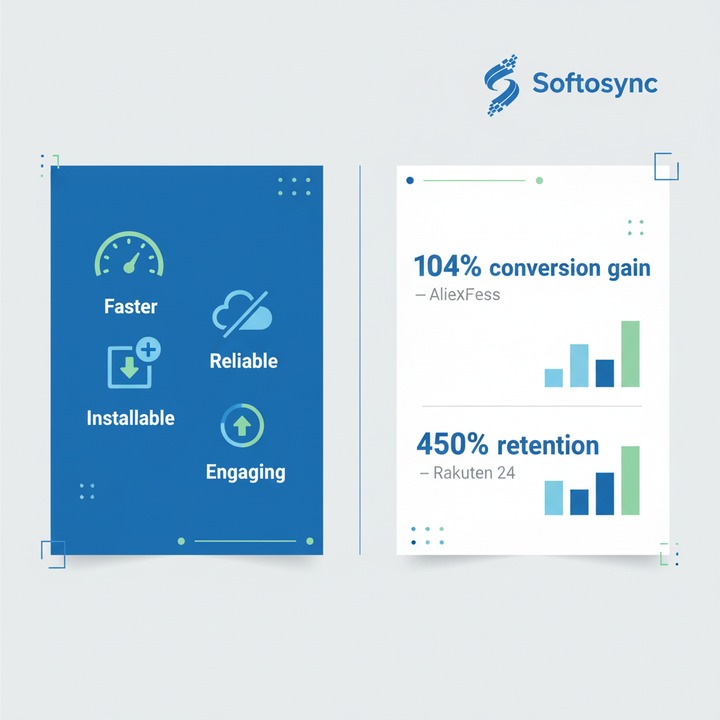
- Real-world e‑commerce cases show dramatic lifts: AliExpress saw a 104% conversion increase for new users after PWA implementation, while Rakuten reported retention and conversion gains up to 450% and 200% respectivelyMobiLoud.
- Market forecasts show rapid growth: the PWA segment is measured in billions and expected to grow at ~30%+ CAGR across regions through the decadeHostingerGeekyAnts.
Latest trends (last 12 months) shaping PWA development
- AI & personalization: PWAs increasingly add server-side and client-side AI to personalize content and UX in real timeMagnetoIT.
- WebAssembly & WebGPU: compute- and graphics-heavy features are now feasible inside PWAs, narrowing the gap with native apps for rich experiencesSaventech.
- Headless commerce + PWA frontends: startups use headless backends with PWA frontends to iterate UI quickly while reusing backend systemsMagnetoIT.
- Broader platform support: improved browser support and platform APIs increase installability and functionality on iOS and AndroidWezom.
- Focus on security and auth: token-based auth, MFA, and secure service-worker patterns are now best practice for PWAs handling payments or personal dataMagnetoIT.
Business benefits for startups (data-backed)
- Faster time-to-market: PWAs avoid app-store review cycles and support instant updatesWezom.
- Lower cost: single codebase for web + installable app often reduces development cost by ~30–50% versus building separate native appsSaventech.
- Higher conversions and engagement: multiple case studies (AliExpress, Rakuten, Lancôme, Jumia) report conversion, session and retention lifts after moving to PWAMobiLoud.
- Reach & accessibility: PWAs work across devices and on low-spec phones—critical for global startups targeting regions with mixed device qualityHostinger.
PWA vs Native App — quick comparison
| Dimension | PWA | Native App |
|---|---|---|
| Time to market | Fast | Slower (store reviews) |
| Development cost | Lower (single codebase) | Higher (multiple platforms) |
| Performance | Good for most apps; improving with WebAssembly | Best for high-performance, AR/VR, games |
| Device integration | Increasing via Web APIs | Full native access |
| Discovery | Web SEO + direct install | App stores (search, ads) |
| (Comparison synthesized from industry analyses and 2025 trend reportsWezomProgressier.) |
When should your startup build a PWA?
- You need fast reach across mobile and desktop with limited budget.
- Your product is content-driven, e‑commerce, or service-oriented rather than GPU-heavy gaming or advanced AR.
- You want offline-first behavior (e.g., ordering, catalogs, forms).
- You need rapid feature iteration and immediate updates.
(Recommended by multiple industry sources and case studiesCodewaveMetana.)
Practical step-by-step: Build a startup PWA (MVP in 6–8 weeks)
-
Define the core user journey (weeks 0–1)
- Pick 1–3 key flows (e.g., browse, convert, account).
- Prioritize offline needs and essential APIs.
-
Choose stack & frameworks (week 1)
- Common choices: React/Next.js, Vue/Nuxt, SvelteKit — all support PWA tooling and SSR/ISR for SEOGeeksforGeeks.
- Consider headless CMS or commerce for rapid backend reuse.
-
Implement PWA essentials (weeks 2–4)
- Web App Manifest (name, icons, display, theme).
- Service Worker with caching strategies (offline-first for key routes).
- HTTPS everywhere, secure headers, token auth.
-
Add progressive features (weeks 4–6)
- Push notifications for re-engagement.
- Background sync and local storage (IndexedDB) for offline writes.
- Installability prompts and shortcuts.
-
Performance & measurement (weeks 5–8)
- Lighthouse audits, Core Web Vitals, and RUM (Real User Monitoring).
- A/B test critical flows (checkout, onboarding) and monitor metrics: conversion, retention, load times.
-
Launch & iterate
- Deploy, promote install experience via web channels, measure, and iterate quickly without app-store friction.
Implementation checklist (developer + product)
- Manifest.json configured and icons included
- HTTPS + HSTS enabled
- Service worker registered with sensible cache strategies
- Offline content and graceful fallbacks built
- Push notifications and permission UX designed
- Analytics & RUM integrated (performance + conversion tracking)
- Accessibility and SEO checks done for discoverability
Real-world examples & outcomes
- AliExpress: PWA increased conversions for new users by 104% and doubled pages per sessionMobiLoud.
- Rakuten 24: Noted a 450% increase in retention and a 200% increase in conversion after PWA rolloutMobiLoud.
- Starbucks: PWA enabled offline menu browsing and ordering, improving reliability across networksCodewave.
“For startups, PWAs represent a pragmatic balance between reach, speed, and cost — delivering the benefits of apps without the overhead.” — industry commentaryMetana.
Best practices & industry standards (2025)
- Prioritize Core Web Vitals: Largest Contentful Paint (LCP), First Input Delay (FID)/Interaction to Next Paint (INP), and Cumulative Layout Shift (CLS). Monitor with Lighthouse and field metricsCodewave.
- Service worker patterns: use stale-while-revalidate for content pages, cache-first for assets, and network-first for API-driven content where freshness mattersGeeksforGeeks.
- Progressive enhancement: ensure baseline experience for browsers without advanced APIsMagnetoIT.
- Security: always serve over HTTPS, use short-lived tokens, implement MFA where required for sensitive flowsMagnetoIT.
Cost & resourcing guide
- MVP PWA (basic features): small team (1–2 frontend devs, 1 backend/devops, 1 designer) — timeline 6–8 weeks; cost range depends on region and team (typically lower than dual native app builds)JotForm.
- Add-ons (push notifications, offline sync, complex integrations) increase time and cost accordinglyJotForm.
Practical tips to maximize ROI
- Start with web-first analytics to identify pages with highest conversion loss — prioritize PWA improvements there.
- Use A/B testing for install prompts and push-notification messaging.
- Monitor performance on low-end devices and slow networks — many gains come from small speed improvementsHostinger.
- Combine PWA with headless backend for faster frontend experimentsMagnetoIT.
Quick migration roadmap (from existing website)
- Audit the current site (analytics, Core Web Vitals).
- Implement manifest & service worker with caching for key assets.
- Add installability UX and push notifications.
- Harden security and test offline flows.
- Iterate on performance and measure business KPIs.
Internal resources & reading (recommended)
- Read our guide on mobile strategy to see where PWAs fit: Mastering Mobile App Development: A Modern Guide (internal)Mastering Mobile App Development: A Modern Guide.
- If you’re building e‑commerce, compare PWA benefits with our e‑commerce scaling article: E-commerce Platform: Build & Scale Your Online Store (internal)E-commerce Platform: Build & Scale Your Online Store.
- For a broader web app strategy and deployment checklist, see: Ultimate Guide to Web App Development (internal)Web App Development: A Complete Strategy Guide.
Checklist: Metrics to track after launch
- Conversion rate (mobile & desktop)
- Time to interactive (TTI) and LCP
- New user install rate (PWA installs)
- Retention and session length
- Offline success rate (queued operations that sync)
Common pitfalls and how to avoid them
- Overbuilding native features before validating demand — start small and measureCodewave.
- Poor caching strategy causing stale data — choose caches per route type and implement background syncGeeksforGeeks.
- Ignoring accessibility and SEO — PWAs are still websites and must be discoverable and accessibleWezom.
Action plan for founders (next 30 days)
- Run analytics audit to pick the highest-impact page/flow.
- Wireframe PWA MVP: choose key offline & install features.
- Assemble a lean build team or engage an expert vendor.
- Launch a beta PWA and measure conversion + retention improvements.
- Iterate weekly based on RUM and user feedback.
Bold move or safe bet? Why not both. PWAs let startups move fast, test product-market fit, and scale cross-platform without the overhead of native apps — and recent case studies show measurable business gains when executed correctlyMobiLoudHostingerSaventech.
Ready to explore a PWA for your product? Contact our web development team to map a 6–8 week MVP plan and connect your roadmap with real business metricsWeb Development Solutions.